


NetBridgeData Inc.. (https://www.NetBridgeData.com) is a professional IT service/solution/image distribution service provider, which provides Alibaba Cloud users with professional cloud server maintenance services by times or cycles; Including website operating environment deployment, website relocation, data migration, troubleshooting, HTTPS deployment, code fine-tuning, website hanging horse cleaning, server poisoning troubleshooting, server security reinforcement, vulnerability repair and other services, we are committed to becoming a leading cloud application and service provider with our professional technical capabilities and excellent customer services. We will serve you wholeheartedly!
A. Web Dashboard URL
http://public_ip:18789/#token=yourInstanceHostname
For example, your hostname is iZbp10biuiiu9kn7wd
your dashboard url
http://public_ip:18789/#token=iZbp10biuiiu9kn7wd
1、How to get Hostname

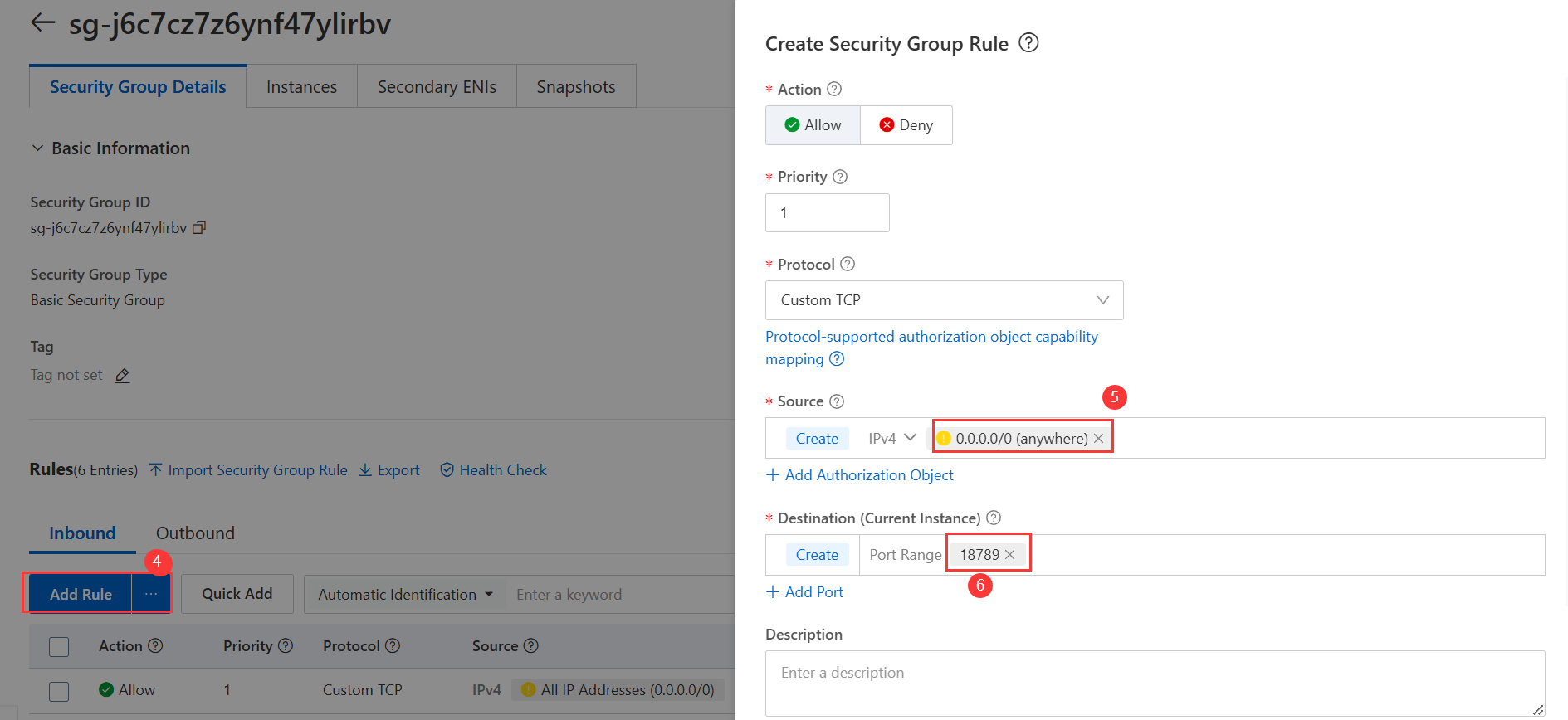
2、Security group allows port 18789

B.How to use OpenClaw TUI
1. Prepare model and authorized API information in advance.
2. Remote login to the server by SSH for Linux
3. After logging into the server, enter command :
openclaw onboard --install-daemon to initialize
(select based on your actual situation; Qwen is used as an example here)
4.Select yes for the risk prompt.
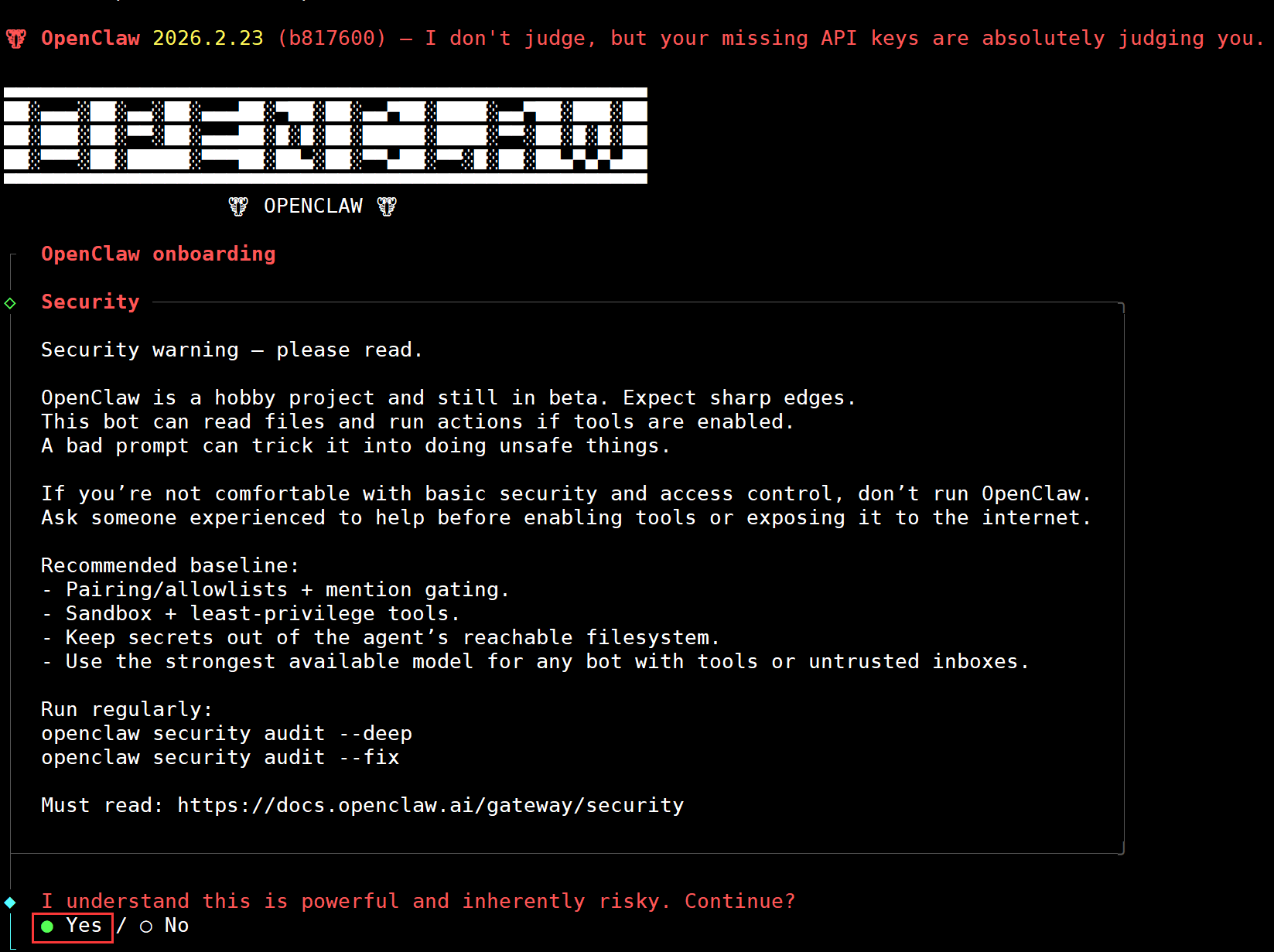
5.Onboarding mode - Select QuickStart and press Enter

6. Model Provider Selection: Taking Qwen as an example (Choose based on your actual needs; I'm using Qwen as an example)
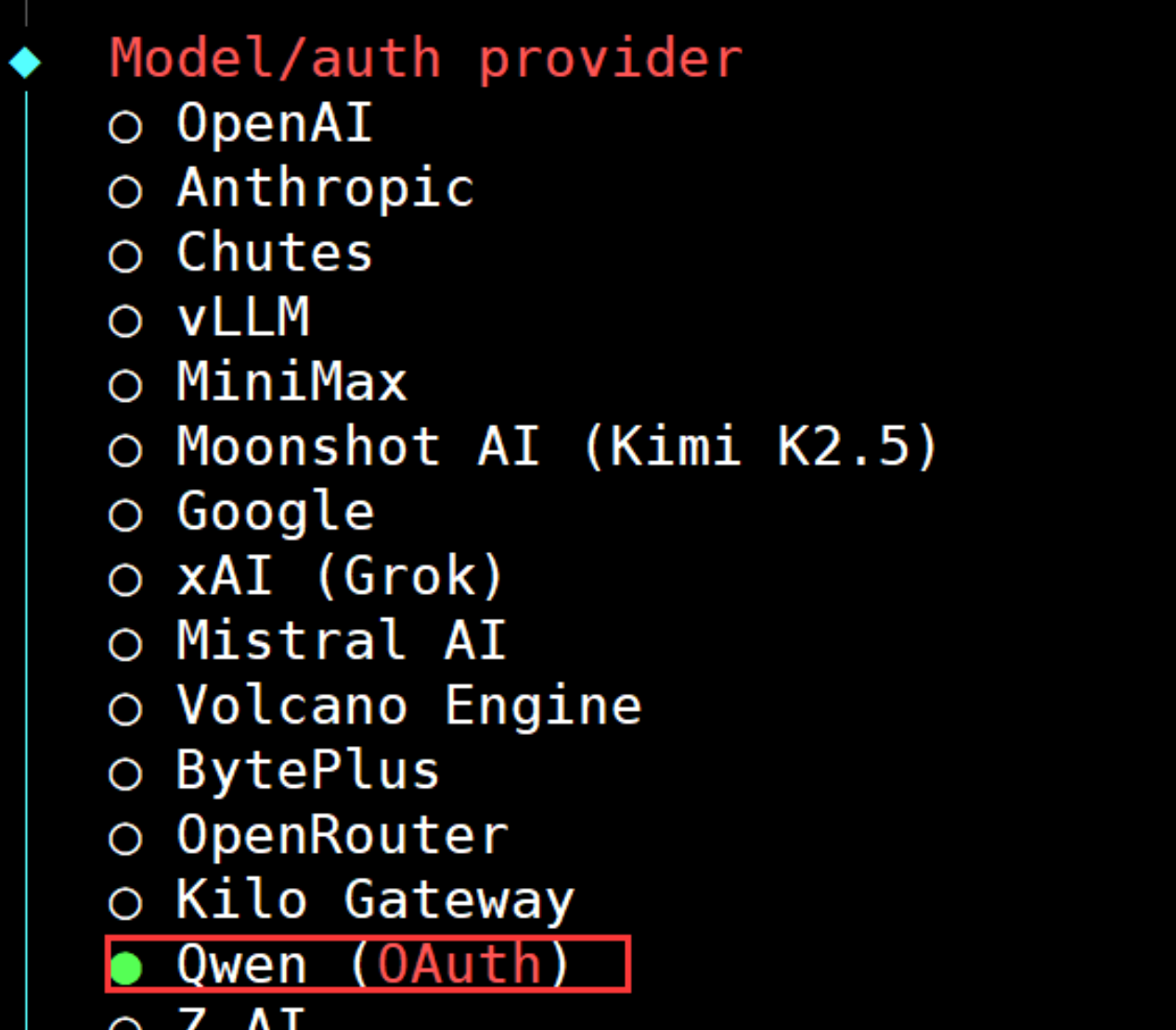
7. After selection, an authorization URL will appear.
Copy the link address and open it in your browser. Log in to your account to complete authorization.
A notification will appear once authorization is successful.

8. For the default model, you can initially select “Keep current” and modify it later as needed.

9. Select channel (QuickStart) communication platform. You can choose Feishu, which will automatically download and install the plugin.

10. Enter your Feishu App ID and App Secret.
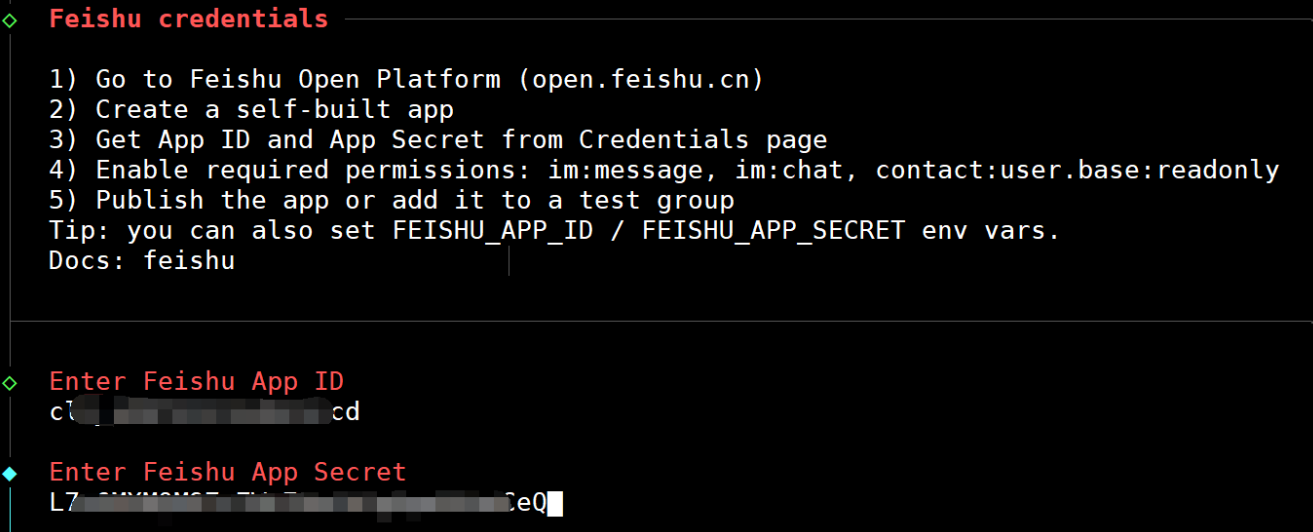
11. Which Feishu domain?
Feishu (feishu.cn) - China Select the domestic Feishu or your region of use.
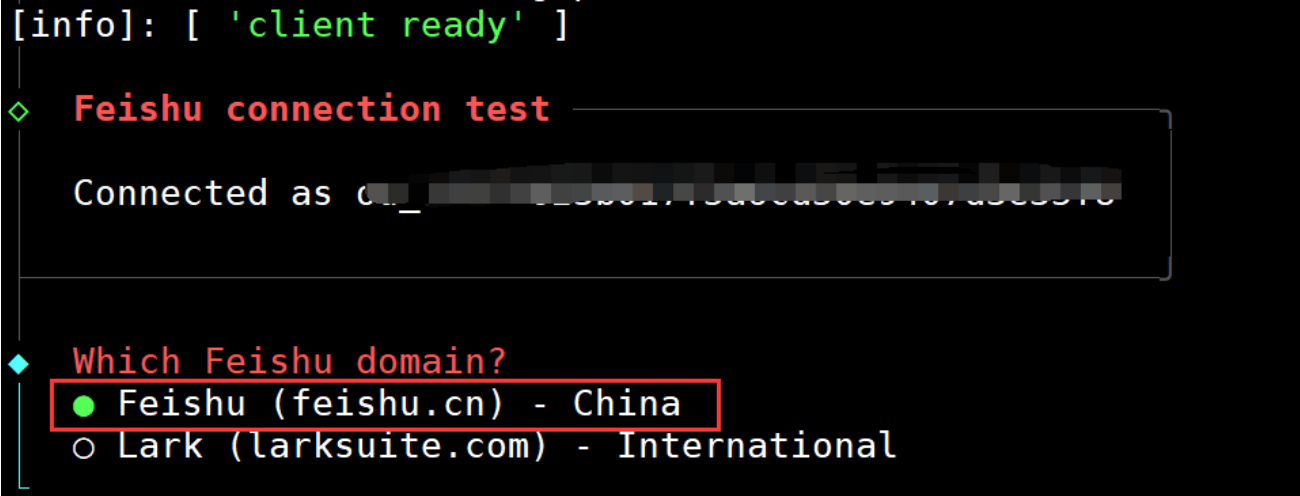

12. You will be prompted to enter the corresponding API information (fill in based on your actual situation; if you don't have it, select “no”)

13. Enable hooks? - Skip for now Choose based on your actual situation.

14. How do you want to launch your bot?
During testing, select Hatch in TUI (recommended), the command-line interactive mode.
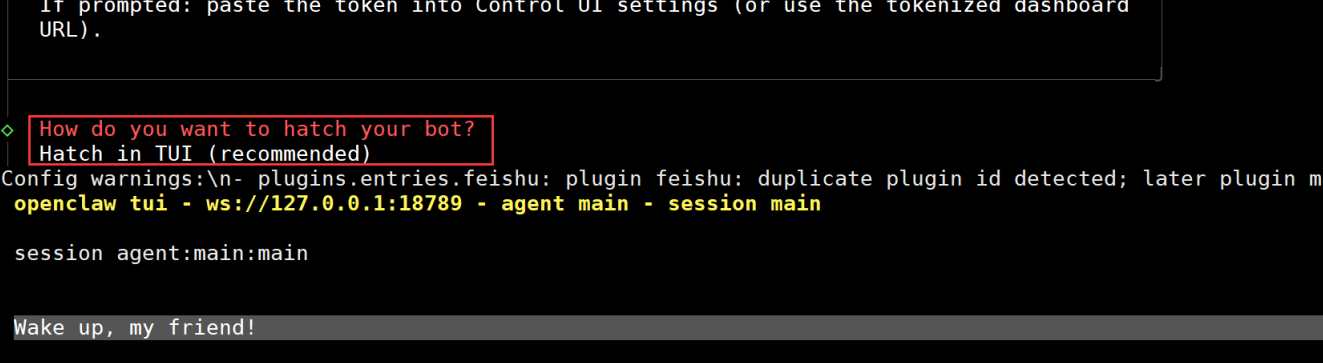
15. Entering this TUI interface (command line interface) indicates success.
You can now input the corresponding dialogue and press Enter. For example, what you wish to say.

Risk Disclosure:
OpenClaw is a high-privilege system tool with low-level file manipulation capabilities. Its use carries significant risks including data loss and system damage. Users are strongly advised to operate it exclusively in isolated environments (e.g., new servers, virtual machines). Deployment in production environments is strictly prohibited. Prior to use, users must perform a full backup of critical data and establish a regular snapshot mechanism. Users assume all operational risks, including but not limited to data corruption and business interruption. The service provider shall not be held liable for any consequences arising from its use.
By proceeding, you acknowledge full awareness of these risks, commit to implementing all protective measures, and release the service provider from all liability. If you cannot meet the conditions for secure usage, do not use this image.
C. Operating System Overview
To better manage and utilize images, the operating system integrates the following plugins by default:
1. Cloud Assistant: Cloud Assistant is a native automation tool designed specifically for Elastic Compute Service (ECS) instances. It enables batch operations, command execution (Shell, PowerShell, Bat, etc.), and file transfer on ECS instances. Typical use cases include: installing/uninstalling software, starting/stopping services, distributing configuration files, and executing general commands (or scripts). Details: https://help.aliyun.com/document_detail/64601.html
2. Cloud Security Center (Situation Awareness): An integrated cloud security management platform combining continuous monitoring, deep defense, comprehensive analysis, and rapid response capabilities. It provides server vulnerability detection, security scanning, attack alerts, and more. Details: https://help.aliyun.com/product/28498.html
D.contact
If you got problems please contact us on working days
Email admin@yunjiutian.com
CLICK HERE to view the detailed user guide for more information. For more information about the product, please visit the Product Page.
 Explore 成都云九天网络科技有限公司's Store
Visit 成都云九天网络科技有限公司's shop to find a range of tailored products that can enhance your experience and meet your needs.
Explore 成都云九天网络科技有限公司's Store
Visit 成都云九天网络科技有限公司's shop to find a range of tailored products that can enhance your experience and meet your needs.
